Four Weeks to September 29: Let’s Get Your Program Chain FCC-Compliant
If you own or manage a radio or TV station and you haven’t heard about the FCC’s new EAS security rules yet, I want to be the one to tell you, because the clock is already running. The FCC published its Order in the Federal Register on July 31, which set the compliance deadline at September 29, 2026. That’s four weeks from today.
I’m a contract broadcast engineer, and I’ve spent the past month walking clients through these requirements. The good news: none of this is exotic. The less-good news: the third requirement, network firewalling and segmentation, takes real hands-on work, and I’m watching calendars fill up across the industry. If you don’t have a full-time engineer on staff, this post will tell you exactly what’s required, what I’m seeing in the field, and how I can help you get across the line on time.
What the FCC actually requires
The FCC’s 2022 proposal would have required a full cybersecurity plan with annual filings. The Order adopted in June backed off that, and instead lays out a three-point mandatory minimum. Note the scope carefully: this isn’t just about the EAS box in the rack. It covers any part of your program chain that is connected to the internet, because the FCC’s concern is bad actors inserting false alerts or other malicious content anywhere upstream of the transmitter.
1. Strong, unique passwords on everything in the program chain
- Change every default password before equipment or software with access to the program chain goes into service. (And yes, that means the ones that have been sitting at factory defaults since 2014.)
- Passwords must be at least 15 characters, must not use dictionary words, and must not be reused across other accounts, equipment, applications, or services at the station.
- As an alternative, the FCC permits other identity verification methods, such as passcodes or “look-up secrets” verified on separate devices, essentially multi-factor authentication.
- Passwords must be changed whenever there’s reason to believe they’ve been compromised, and the FCC specifically calls out employee departures. If someone with access leaves, the credentials change. The Broadcast Law Blog points to a recent indecency fine that may have been caused by a former employee who knew where the security gaps were. That’s a real cost, not a hypothetical one.
2. Current software and firmware on EAS hardware
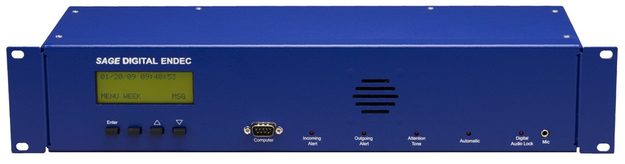
The FCC cited data from the 2023 Nationwide EAS Test showing that roughly 23% of EAS equipment was either running outdated software or was hardware no longer supported with updates. Stations must promptly review and install security patches. If your ENDEC or DASDEC has reached end-of-life and the manufacturer isn’t issuing patches, that’s a conversation we need to have now, not on September 28.
3. Firewall or comparable network segmentation
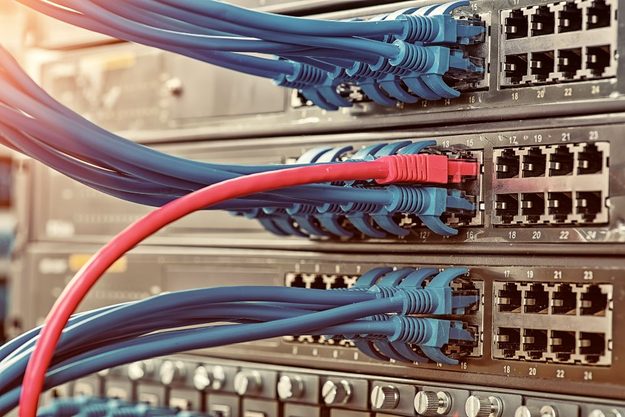
This is the one that requires the most work. All EAS and programming equipment connected to the internet must sit behind a network firewall, or be protected by “comparable network segmentation practices” that limit remote access. The FCC’s language is that EAS systems must be isolated from “general-purpose business networks so that unauthorized external access is not possible.”
Translation: if your EAS unit, automation system, streaming encoder, or STL is on the same flat network as the sales department’s laptops and the lobby Wi-Fi, you are not compliant.
Broadcast groups argued this was too costly for small stations. The FCC’s response was blunt: small operators are the least likely to have robust security and therefore the most vulnerable, and it considers a firewall “a basic and cost-effective cybersecurity safeguard appropriate even for organizations with limited resources.” The Commission acknowledged smaller stations might need time to find a vendor, but it did not extend the deadline for them.
What I’m actually finding at stations:
Every station is a little different, but after a month of site visits, the same issues keep showing up:
| What I find | Why it’s a problem under the new rules |
|---|---|
| EAS unit with a web interface reachable from the public internet, default or 8-character password | Fails requirements 1 and 3 |
| Automation system, EAS, and office PCs all on one 192.168.1.x network | No segmentation; fails requirement 3 |
| Remote access via port forwarding on the ISP router so the PD can log in from home | Direct external path into the program chain |
| Shared “station” password used on the automation, the streaming encoder, and the email account | Violates the no-reuse rule |
| EAS firmware two or three major versions behind | Fails requirement 2 |
| Former employees’ accounts still active on remote-control and automation systems | Violates the compromise/departure rule |
| No written record of any of the above | Not explicitly required by the Order, but you’ll want it if the FCC asks |
None of these are signs of a badly run station. They’re signs of a normally run station that never had a regulatory reason to lock things down. Now it does.
How I approach a compliance engagement-
I keep this practical and scoped to what the rule requires. A typical engagement looks like this:
Step 1 – Program chain inventory (half a day, often remote).
We map every device between content origination and the transmitter that touches a network: EAS unit, automation, audio processors, codecs, STL IP links, streaming encoders, remote control, transmitter web interfaces, and anything else with an Ethernet jack. You’d be surprised what’s on the list.
Step 2 – Credential remediation.
I rotate every default and weak password to compliant 15+ character, non-dictionary, unique credentials, enable MFA or look-up secrets where the equipment supports it, disable stale user accounts, and set up a properly secured password manager so your staff can actually use these credentials without writing them on a sticky note. I also leave you with a simple offboarding checklist so credentials get rotated when someone leaves.
Step 3 – Patch and firmware audit.
I check every EAS unit and program-chain device against the manufacturer’s current release, apply updates, verify operation afterward (including a Required Weekly Test), and flag any hardware that is out of support so you can budget a replacement.
Step 4 – Network segmentation and firewall.
This is the on-site work. Depending on your facility it means installing a proper firewall appliance, building a dedicated VLAN for the program chain, removing port forwards, and setting up a VPN so your staff and I can still get in remotely without exposing anything to the open internet. For very small facilities, sometimes the cleanest answer is a physically separate network for the broadcast gear. I’ll recommend the right-sized solution, not the most expensive one.
Step 5 – Documentation.
You get a network diagram, a device/credential inventory (stored securely), a patch log, and a one-page summary of what was done and when. The Order doesn’t mandate an annual filing, but if an FCC inspector or your attorney ever asks how you complied, you’ll have the answer in a folder instead of in someone’s memory.
For most single-station facilities, this is one to two site days plus some remote prep. Clusters and stations with complex IP-based air chains take longer, which is why I’m urging people to call now.
Realistic timeline from today
- This week: Call, quick phone consult, schedule the inventory.
- Week of September 7: Remote inventory and credential work; order firewall hardware if needed.
- Weeks of September 14 and 21: On-site segmentation, patching, verification.
- By September 29: Documentation delivered, you’re compliant.
That schedule works if you start now. It gets tight if you start on the 15th, and I can’t promise availability for anyone calling the last week.
A few honest notes
- I’m an engineer, not a lawyer. For questions about how the Order applies to your specific license or situation, talk to your communications counsel. The Broadcast Law Blog’s coverage is a good starting point, and the Order itself is FCC 26-38.
- This is a floor, not a ceiling. The FCC called these “minimal requirements.” If you want to go further, I’m happy to, but my first priority is getting every client to the minimum on time.
- Firewall ≠ done forever. The patching requirement is ongoing. I offer a light quarterly check-in for stations that don’t have staff to monitor firmware releases.
Let’s get it scheduled
I’m currently taking on stations in Central PA and can handle remote assessment and credential work for stations anywhere. If you’re a group owner with multiple sites, let’s talk about batching the work.
Anthony Peiffer, Centre Media Productions
📞 814-933-0754 · ✉️contact@centremediaproductions.com · 🌐 centremediaproductions.com
Four weeks is enough time. But it’s only enough if you start this week.
Reference: FCC Order 26-38, “Modernization of the Nation’s Alerting Systems,” published in the Federal Register July 31, 2026; Broadcast Law Blog, “New Security Obligations for Broadcasters Required by September 29” (July 2026).